

GMB Manager
Take control of your local reputation and your Google profiles
GMB Manager is a web application that lets clients of the CogitoWeb agency review and manage, from a single interface, the reviews, local rankings and Google Business Profile listings of their locations. The application requests access to your Google account in order to read and update, on your behalf, only the profiles you own or manage.
Access is reserved for clients of the CogitoWeb agency; there is no open sign-up.
Published by CogitoWeb, a local SEO agency registered in France under SIRET 923 142 467 00011. Version française
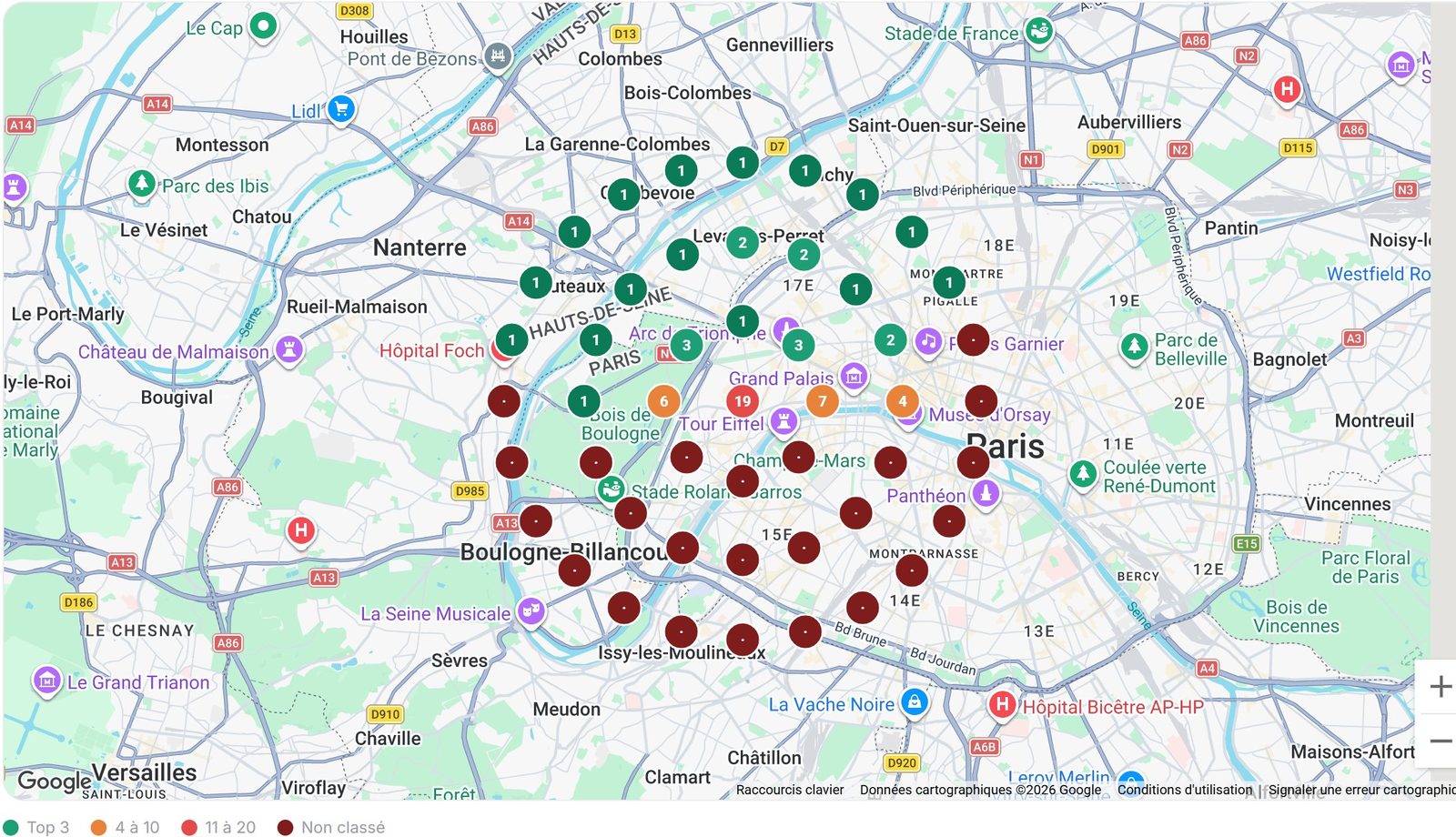
Real screenshot of the application. One dot per measurement point; its colour gives the ranking at that spot.
Six modules, one interface
Local rank tracking
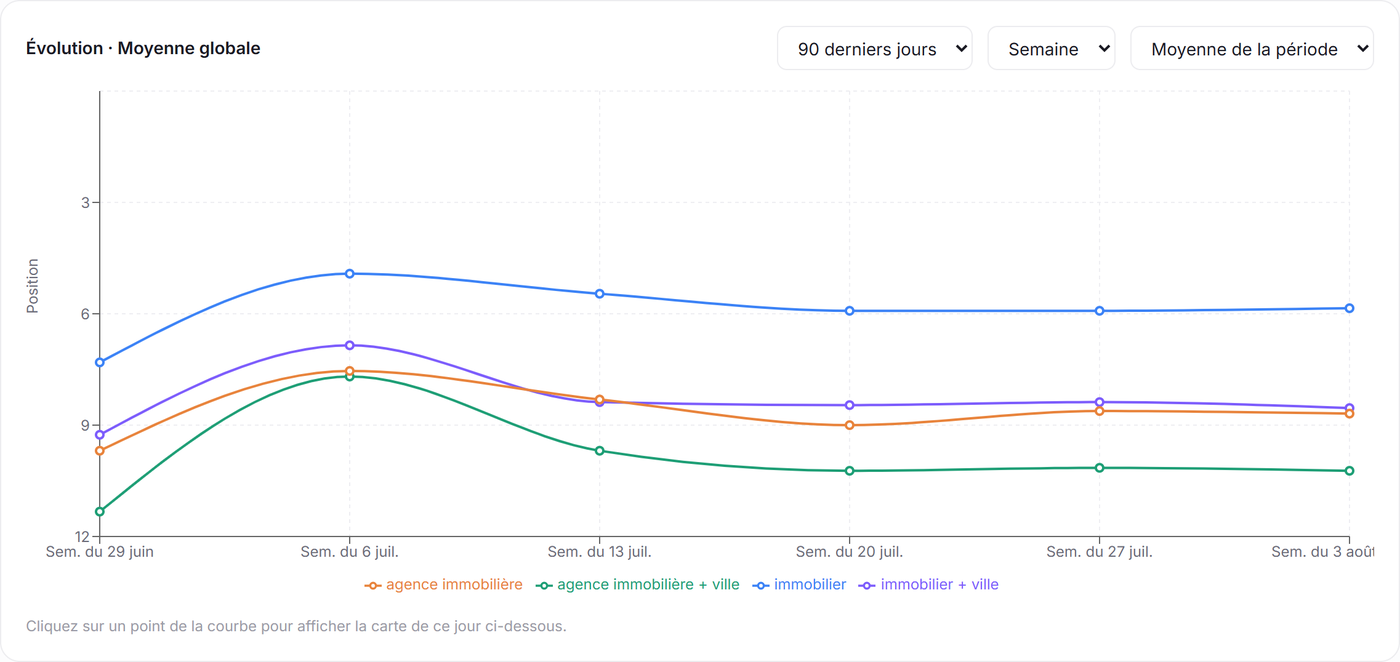
A measurement grid around each location queries the real Google Maps ranking for your keywords. Every dot shows your position at that exact spot: visual proof of your progress, neighbourhood by neighbourhood.
Review monitoring
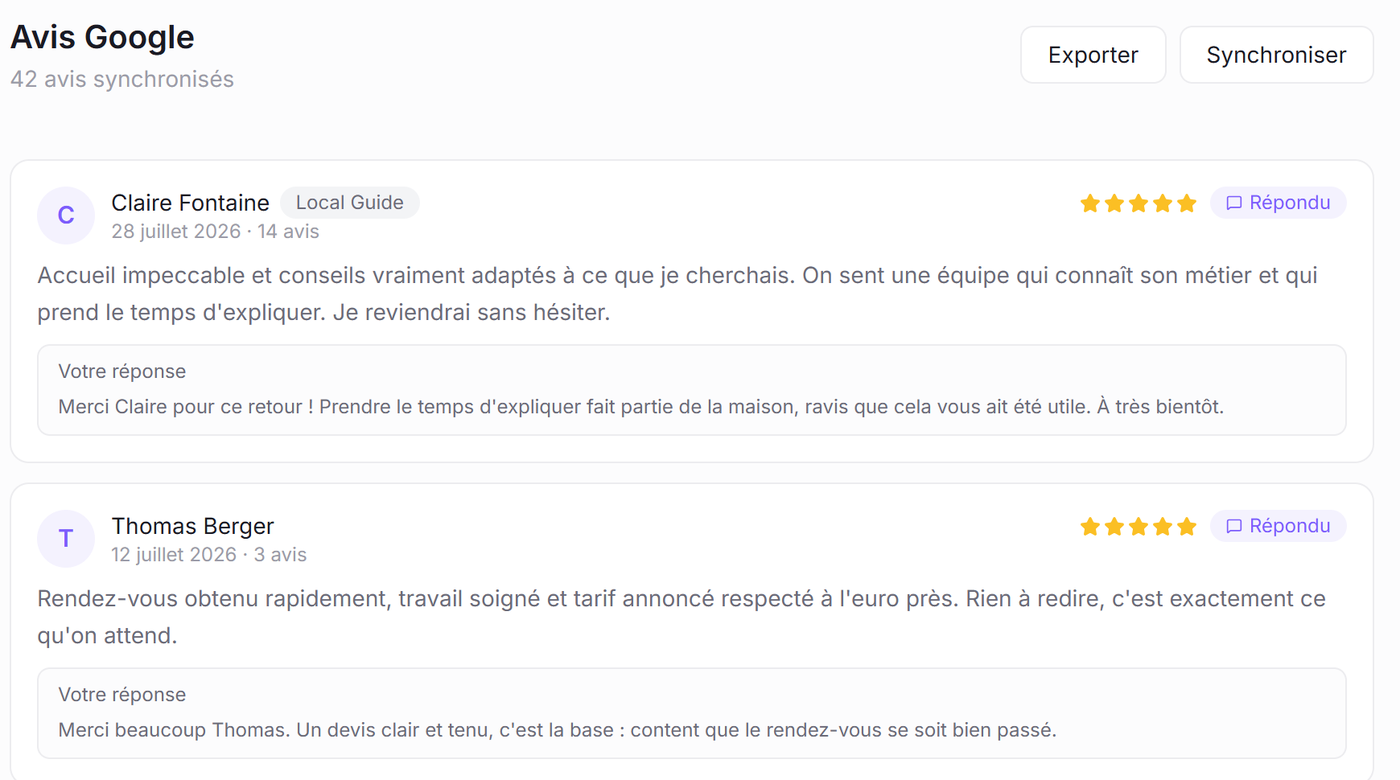
Every new review on every profile is detected, archived and sorted automatically. You keep the full memory of your reputation, even when Google stops showing the older reviews.
Review collection
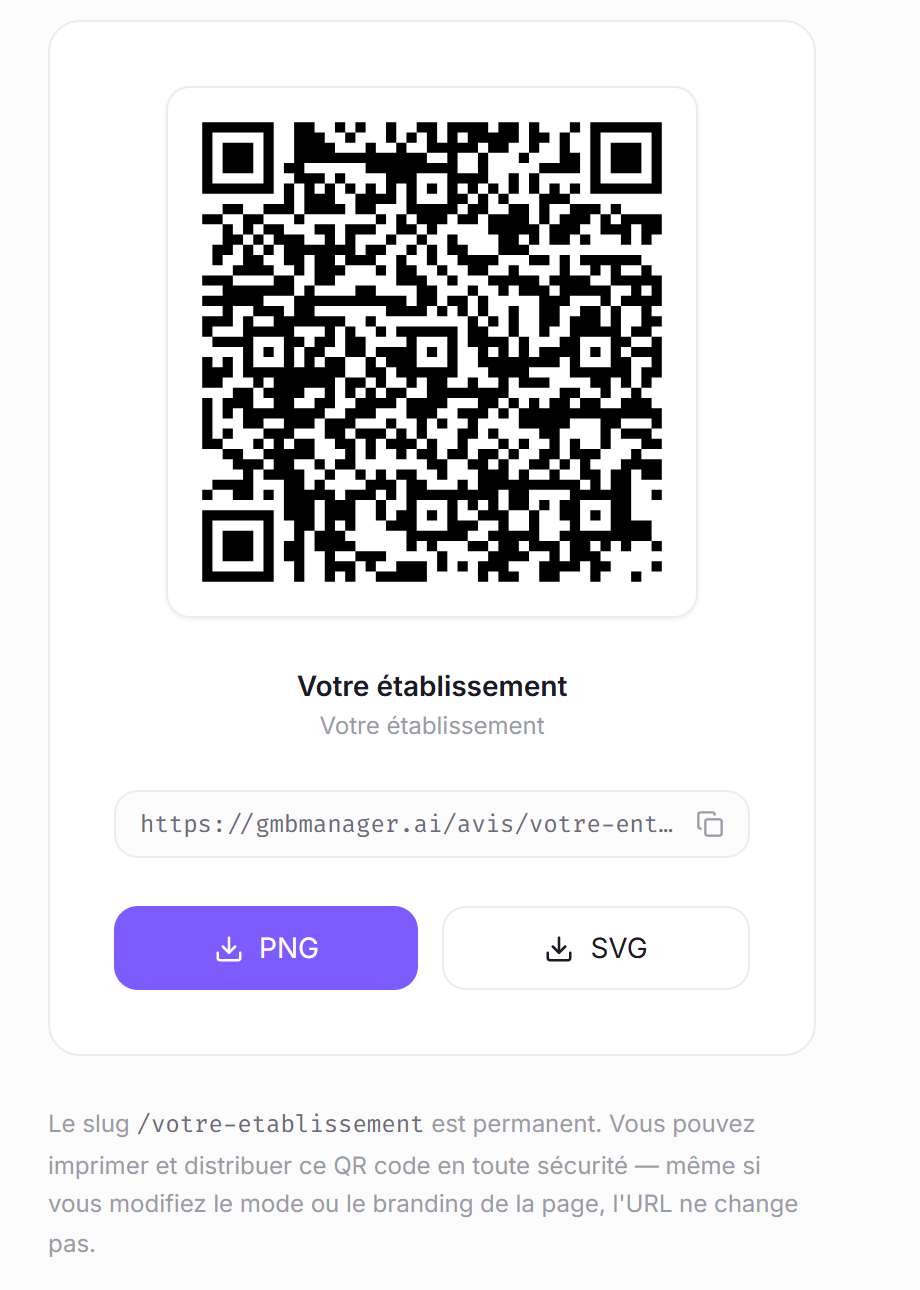
A public page per location, a QR code for the counter and email invitation campaigns. Invitations go out to all of your customers, with no filtering and no incentive, in line with Google policies.
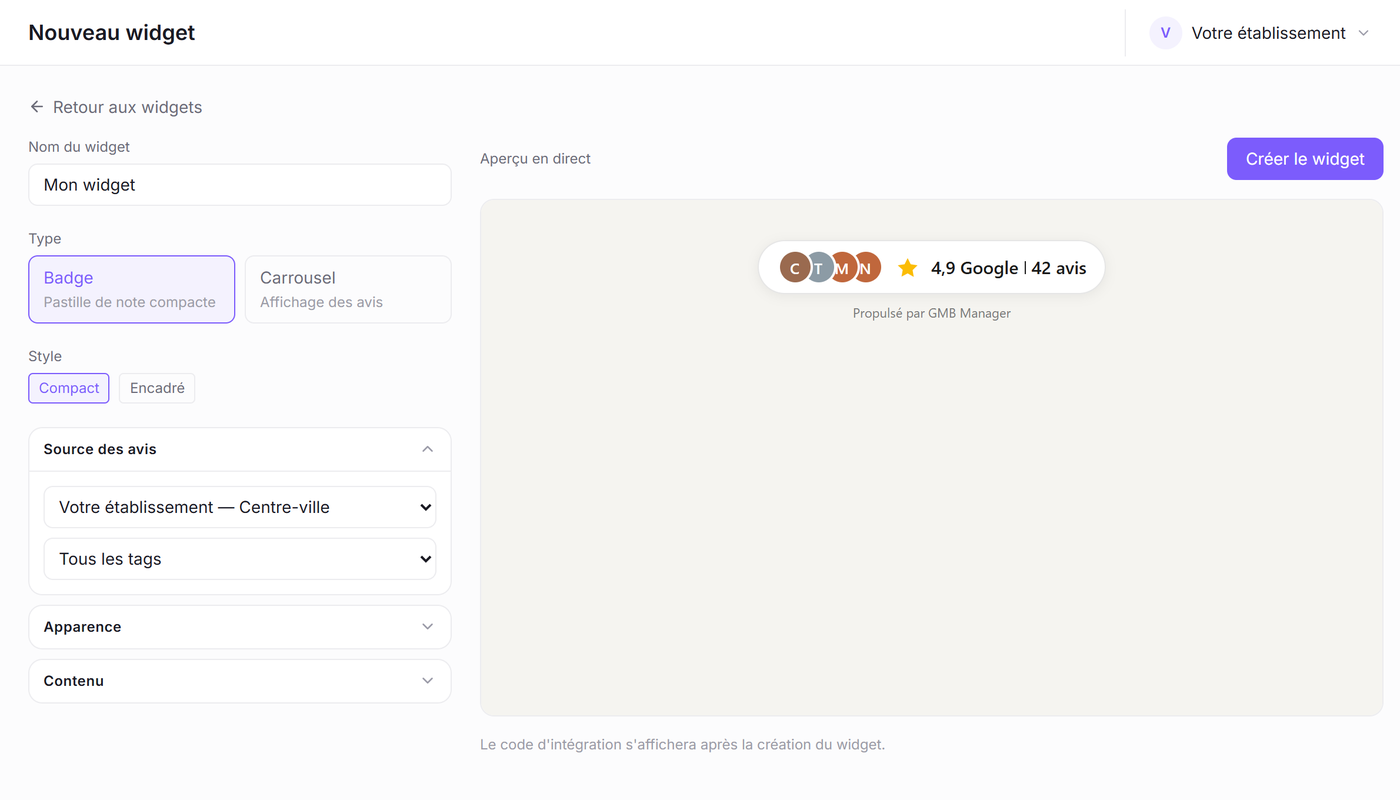
Review widgets for your website
Show your Google reviews on your own site: rating badge or carousel, five styles, customisable without any technical skills. Embedding takes a single line of script and leaves your site design untouched.
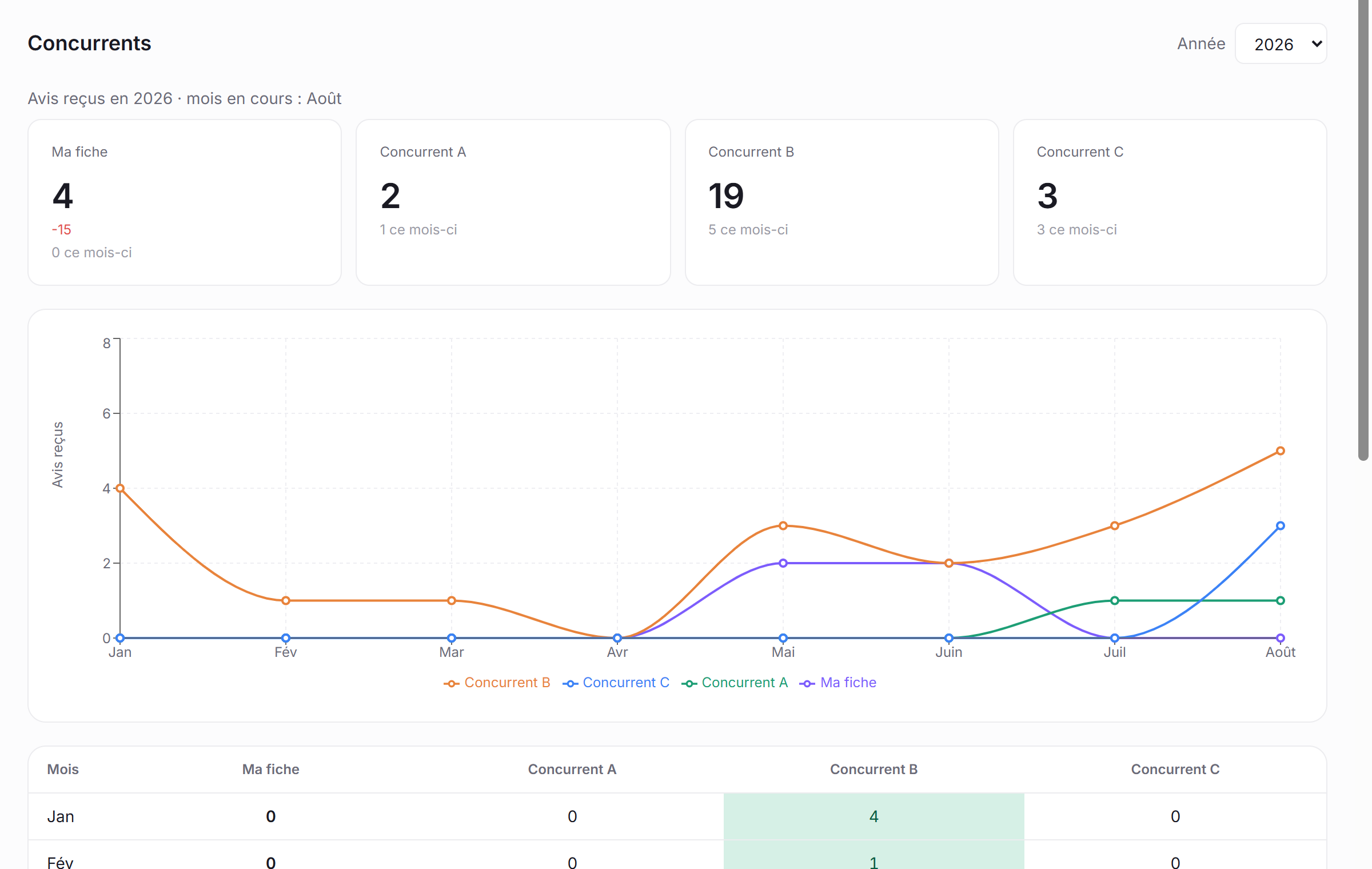
Competitor watch
Track month by month how fast your direct competitors collect reviews and where they rank. You know who is climbing, who is slipping, and where your business sits in the local race.
Google Business Profile management
Once your Google account is connected, GMB Manager acts only on the profiles you own or manage. These features are being rolled out as part of our Google Business Profile API integration: they will be switched on as soon as access is granted.
Learn moreEditing business profiles
SoonYou will be able to read and update the details of your Google profiles (hours, contact details, description, attributes, categories) from a single interface, instead of opening each profile separately.
List of managed accounts and profiles
Foundation in placeThe application lists the accounts and business profiles you own or manage, so that ownership can be verified before any operation.
Performance metrics and keywords
SoonPerformance metrics and the search keywords of each profile will be gathered in your dashboard.
Replying to reviews
SoonPublishing replies to reviews, on behalf of the profile owner, will happen inside GMB Manager instead of going through Google profile by profile. Reading reviews already works today.
Up and running in four steps
We create your account
Your locations and team access are set up together with the agency.
Your profiles get connected
Every location gets its Google profile, its collection page and its QR code.
Monitoring runs
Reviews, rankings and competitors are collected automatically, at the planned intervals.
You follow the results
Dashboards, trend curves and heat maps, for you and for your teams.
One tool, three ways to use it
Local business
Multi-location
Teams and agencies
Why GMB Manager asks for access to your Google account
Authentication uses the OAuth 2.0 protocol, with the https://www.googleapis.com/auth/business.manage scope. That access is used only to read and update the business profiles the signed-in user already owns or manages in Google Business Profile. No data about third-party businesses is collected through these APIs.
Limited Google access
OAuth 2.0, only the profiles you own or manage. Revocable at any time.
Protected data
Your customers' emails and phone numbers are encrypted at rest. Never sold, never shared.
Compliant collection
Invitations sent to all of your customers, with no filtering and no incentive, per Google policies.
Consent first
No invitation without consent collected and time-stamped when the customer file is imported.
Every write (editing a profile, publishing a reply to a review) is explicitly triggered by the user from the interface. Nothing is automated or sent without their action.
Data obtained through the Google APIs is never sold, never passed on to third parties and never used for advertising purposes. Users can revoke this access at any time from the security settings of their Google account (myaccount.google.com/permissions).
Our use of information received from the Google APIs follows the Google API Services User Data Policy, including the Limited Use requirements. The details are set out in our privacy policy, our terms of use and our legal notice.
Everything people ask us
Can I sign up on my own?▾
Where do the reviews shown in GMB Manager come from?▾
When will the features based on the Google APIs be available?▾
What exactly does access to my Google account do?▾
Do review invitations comply with Google policies?▾
How do plans and credits work?▾
Can my own clients look at their results?▾
Let's talk about your local visibility
GMB Manager is provided by the CogitoWeb agency as part of its local SEO service.